
Join us Wednesday, October 28, 2:30 PM Pacific for a Teams Webinar Event!
Thermal Drone Capture to Quickbase Integration
Aerial thermography is an incredibly powerful diagnostic tool, but it frequently fails at the data collection and handoff stages. Field operations stall when pilots deliver compressed standard JPEGs instead of raw radiometric files, or when unsegmented 3D scans cause extended field processing delays. When asset managers receive static PDF summaries or raw images missing vital thermal metadata, critical electrical and structural anomalies simply cannot be mapped into actionable maintenance workflows.
During our recent GF-MSN-001 inspection mission, Lead Inspector and Drone Pilot validated a strict field protocol and data architecture to solve these exact bottlenecks. Here is how we ensure raw radiometric data is properly captured and routed directly into our Quickbase ecosystem.
The .RJPG Mandate and Pre-Flight Precision
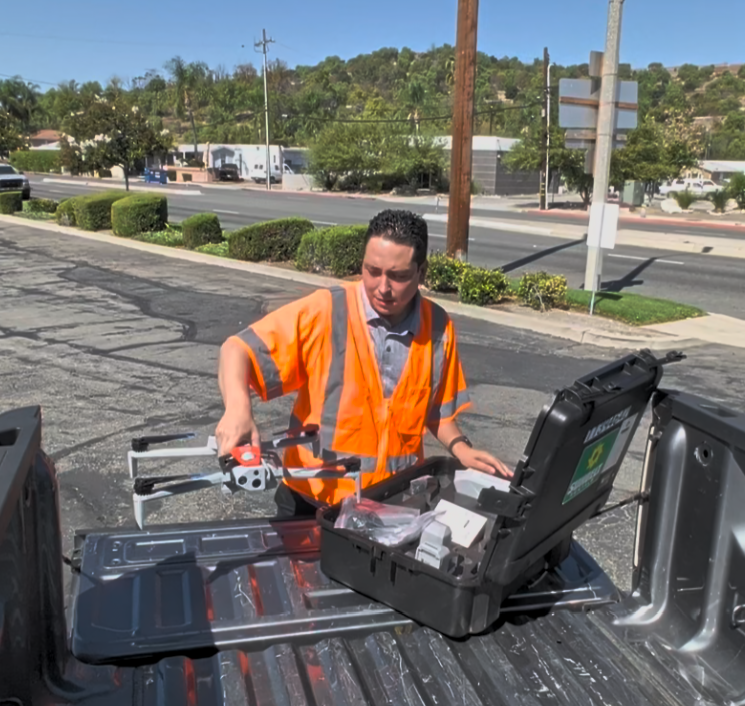
Standard optical JPEGs or screen recordings are unusable for post-flight radiometric analysis. When flying platforms like the Skydio X10 Enterprise with the VT300 Multi-Sensor, we explicitly mandate that the thermal capture format is set to Radiometric JPEG (.RJPG) or Dual Visual/Thermal Capture, completely avoiding thermal preview streaming.
Preparation dictates success in the field. Our flight cases must always contain formatted, high-speed backup microSD cards (V30/U3 rated or higher) to prevent media transfer bottlenecks on site. Before arming the drone, we verify LAANC airspace authorizations, inspect the optical and thermal microbolometer windows for debris, and meticulously document ambient temperatures and wind velocity.
In-Flight Execution: Segmentation and Safety
While automated 3D scan models provide excellent spatial positioning and obstacle avoidance, large, unsegmented target scans cause significant processing lag in the field. To optimize battery swap cycles and prevent this lag, we segment large structures into smaller, modular scan zones.
Safety and data clarity govern our flight paths. We maintain a strict 25-foot standoff from energized infrastructure and structural assets. When operating near high-risk utility lines, manual control overrides always take immediate priority over automated flight paths. To prevent reflective thermal glare off metallic conductors and switchgear, we position the sensor at a 35° to 45° angle relative to the target surface.
Streamlining the Data Pipeline
Our GF-01 mission reinforced that wireless mobile media syncs from the controller to field devices are prone to failure, timeout, and file corruption. Until wireless protocols are fully enterprise-hardened, we rely on a standardized manual offload.
Immediately upon landing, the high-speed microSD card is ejected and the complete file directory is offloaded directly into a designated, secure SharePoint cloud staging environment. Folder paths are strictly structured by asset taxonomy, ensuring all thermal files retain their raw radiometric metadata structure before any cards are cleared.
The Engine Under the Hood: Calibrated Planck Conversion
The true value of this workflow happens post-flight. Processed .RJPG images are routed through a local radiometric extraction utility that queries raw calibrated pixel values across identified Regions of Interest (ROIs), bypassing bottlenecks inherent to proprietary desktop suites.
To put it simply, a thermal drone camera does not just “read” a temperature; it captures raw, invisible infrared heat energy (radiance). We utilize Planck’s Radiation Law as the translation engine to convert that raw energy into the exact, reliable temperature numbers our clients need. The math powering this conversion is structured as:
T = B / ln(R1 / (R2 · S + O) + F)
- T: Absolute temperature (Kelvin, converted automatically to °F / °C).
- S: Raw digital sensor count extracted directly from the pixel array.
R1, R2, B, O, F: Embedded factory calibration coefficients accounting for sensor gain, offset, and ambient radiation.
By applying this calculation, our extraction utility outputs precise tabular data detailing Asset IDs, timestamps, spot maximum/minimum temperatures, and reference ambient temperatures.
In-House Adaptability and Ecosystem Integration
A major point of pride for this project is that we developed this pipeline entirely on our own, without relying on expensive, restrictive third-party software. By building a custom workflow that integrates directly into Quickbase, we have made it incredibly easy for customers to adapt. Whether you already utilize thermal imaging or are just looking to adopt it, this system seamlessly scales to your needs.
We recognize that a significant percentage of customers are still operating on legacy builds and might be hesitant to transition to entirely new software ecosystems. Because this is an in-house integration rather than a rigid off-the-shelf product, we can meet you where you are, bridging that gap and providing a smooth, high-value upgrade path without disrupting your existing legacy foundations.
Once imported into Quickbase, automated maintenance logic takes over. High-risk thermal anomalies instantly generate high-priority service tickets, while normal readings establish a multi-cycle baseline for automated Delta-T trend tracking.
Join us Wednesday, October 28, 2:30 PM Pacific for a Teams Webinar Event!